
Install GradePush
Run GradePush Core for your institution using Docker Compose. The installation includes GradePush, PostgreSQL and Caddy for automatic HTTPS.
Before you start
- A Linux server running Docker with Docker Compose 2.32 or newer.
- A public domain, such as
grades.example.org, pointing to that server. - Ports 80 and 443 reachable from the internet and available on the server.
- A GitHub account to create the installation’s GitHub App.
1. Prepare the Compose files
Choose one of the following methods.
Option 1: setup script (recommended)
To prepare the files automatically, run the setup script on your Linux server. This method requires curl and OpenSSL.
curl -fsSLO https://raw.githubusercontent.com/gradepush/gradepush/main/scripts/install.sh
sh install.sh
Enter your domain without https:// or a path. The script creates the gradepush directory with its configuration files and displays your private setup link.
Keep the setup link and
.envprivate.
Option 2: manual Compose configuration
Create a gradepush directory on the server and save the standalone Compose file there as compose.yaml.
Create a .env file in the same directory:
PHX_HOST=grades.example.org
DB_PASSWORD=REPLACE_WITH_A_UNIQUE_RANDOM_PASSWORD
Replace the domain with your own, without https:// or a path. Replace the password placeholder with a unique random password from your password manager, using at least 32 letters and numbers. Keep .env private.
2. Start the services
cd gradepush
docker compose pull
docker compose up -d --wait
Caddy obtains and renews the HTTPS certificate. Verify that your domain opens securely before configuring GitHub. If needed, inspect docker compose logs caddy.
3. Set up your institution
Retrieve your private setup link on the server:
docker compose exec app gradepush-setup
Open that link in your browser. If you used the setup script, you can also use the link it printed. Keep this link private.
Enter the institution name, create the GitHub App through the setup wizard and sign in with GitHub. The setup user becomes the first institution administrator and instance operator.
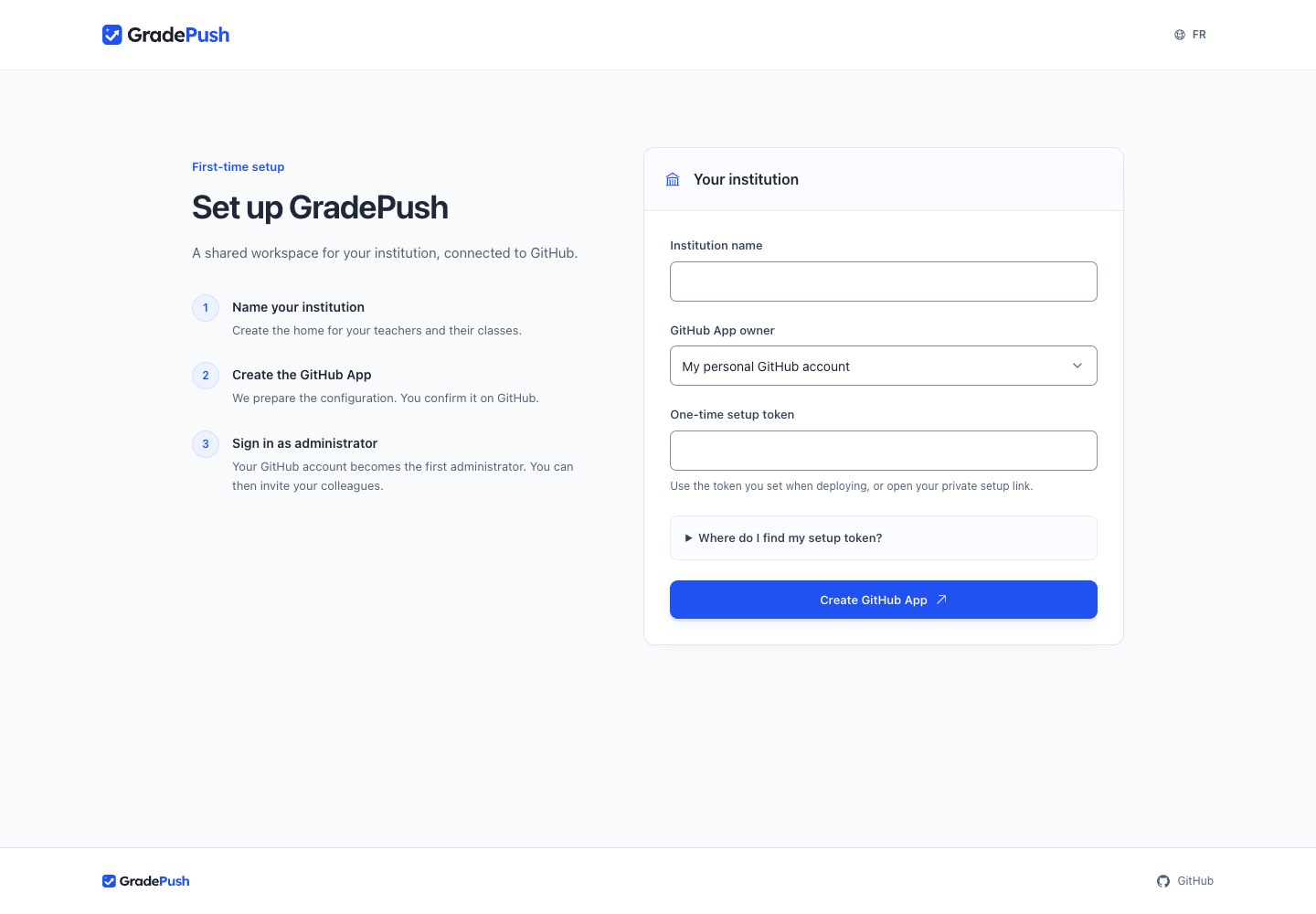
Continue with Connect GitHub, then create your first classroom.
Keep your installation safe
Preserve the .env file and the PostgreSQL, GradePush and Caddy volumes. Never remove volumes during a normal restart or upgrade.
Set up backups before inviting real students. Run only one institution per installation.